Fiji - BDV Navigation and QuPath project import
Note
You will need a mouse, since navigating with a trackpad can be very frustrating!
Start Fiji, or run the ABBA application if you used the installer, start the ABBA plugin (type ABBA in Fiji’s search bar or go to Plugins › BIOP › Atlas › ABBA - ABBA Start). You will then need to choose the atlas (the whole documentation is made with the Allen adult mouse brain atlas) and between 3 ways of slicing the atlas : coronal, sagittal, or horizontal. The documentation is made in the coronal sectioning orientation because it is probably the most frequent orientation, but ABBA works the same way in all orientations.
Atlas display options
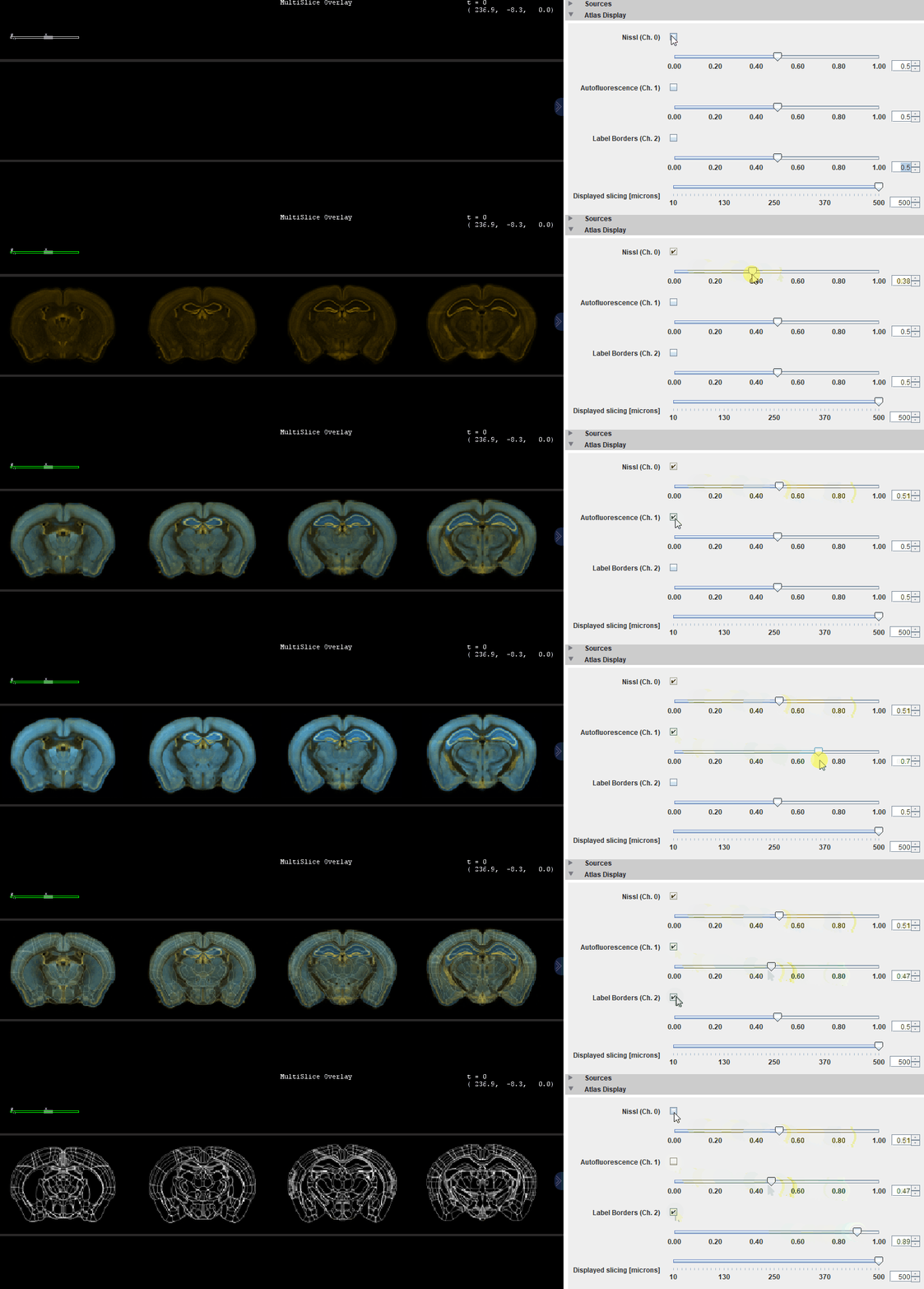
The image you see when you start ABBA is the atlas dataset, sliced regularly along Z. This data consists of a 3 channel image, which are, in the case of the Allen Brain Atlas CCFv3:
Nissl (Ch. 0)Ara (Ch. 1)Label Borders (Ch. 2)
You can activate or deactivate each of these channels with checkboxes and emphasize more or less their display with sliders.
Import a QuPath project in ABBA
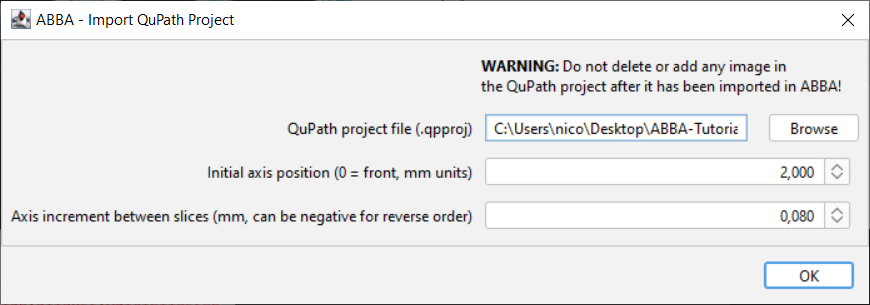
Once you are familiar with these controls, click, in the ABBA window menu bar: Import > ABBA - Import QuPath Project

Select your project file, the initial position of the first slice, and the approximate spacing between slices in mm (the demo dataset has a spacing of 80 microns). These positions are just initial guesses which will be adjusted later on.
A second window shows up which specifies some advanced opening parameters. The default values (shown below) will work in most cases.
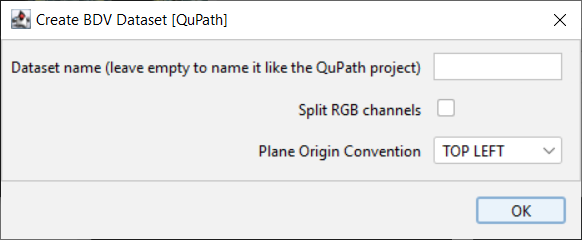
The plane origin convention do not matter.
Warning
If your dataset contains 16-bits RGB channels (as it is the case for some CZI files), you have to check the Split RGB channels checkbox.
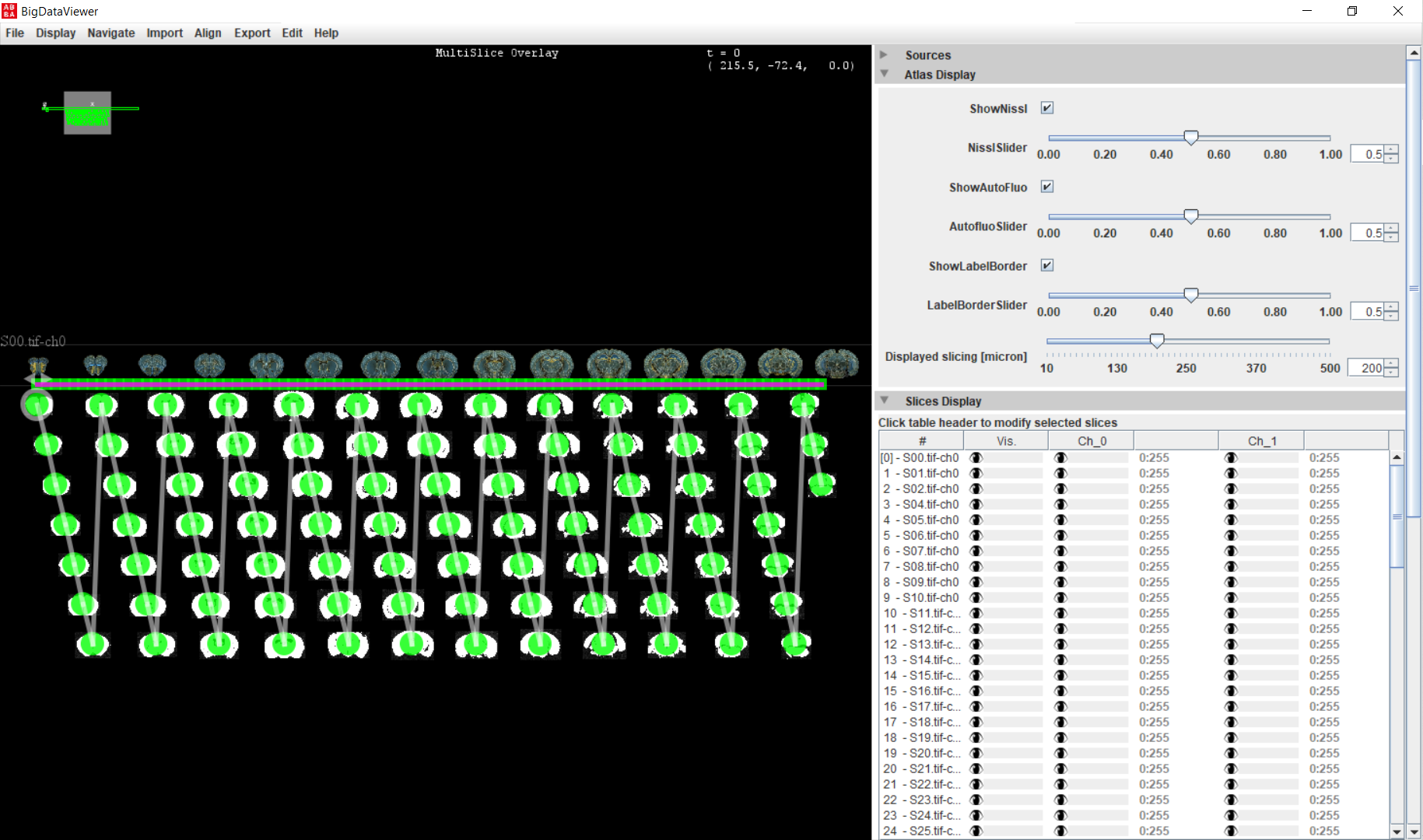
It can take up to a minute for the first opening, due to bio-formats memoization. With the demo dataset, you will get an image similar to this:
Other imports
Current ImageJ window
You can open in ABBA the current ImageJ window which is in focus. In you want this to work, make sure the pixel size is correctly set. If possible, specify the pixel size in millimeter.
Warning
There is currently a bug which makes impossible to re-open an ABBA state file that was created like this !
Direct opening of a file
As stated before, opening a file without being contained in a QuPath project may be annoying for downstream, but if you know what you’re doing, then fine!
Sources from BigDataViewer Playground
You can drag and drop sources from the BigDataViewer Playground’s tree view to the BigDataViewer window of ABBA.