Creating a compatible QuPath project
Warning
Do not modify the images in the project once they have been opened and used in ABBA. Changing the images in the QuPath project may cause ABBA to function improperly.
Hint
Using a QuPath project is the preferred method for working with ABBA, as it greatly simplifies downstream processing.
Dataset requirements
ABBA is designed to work on a set of brain slices from a single animal. If you need to align slices from multiple animals, each animal should be processed in a separate QuPath project. While it’s possible to combine slices from different animals in one dataset, this reduces flexibility in the registration process, particularly in terms of setting different cutting angles for different animals.
Supported Image Formats
ABBA can handle a variety of image types, including:
Any format supported by Bio-Formats
Data streamed from an OMERO server
XML-defined BigDataViewer datasets
A QuPath project (which internally uses Bio-Formats and OMERO)
Please also review the information on pyramidal file format requirements to ensure your files meet the necessary criteria.
Setting up a dataset of brain sections in QuPath
As recommended, you should begin by creating a QuPath project that contains all the brain slices you wish to register, typically from one animal.
For detailed instructions, refer to the QuPath documentation: Creating a Project in QuPath.
Below is a brief overview of the steps to set up a project:
(You can download a demo dataset if needed.)
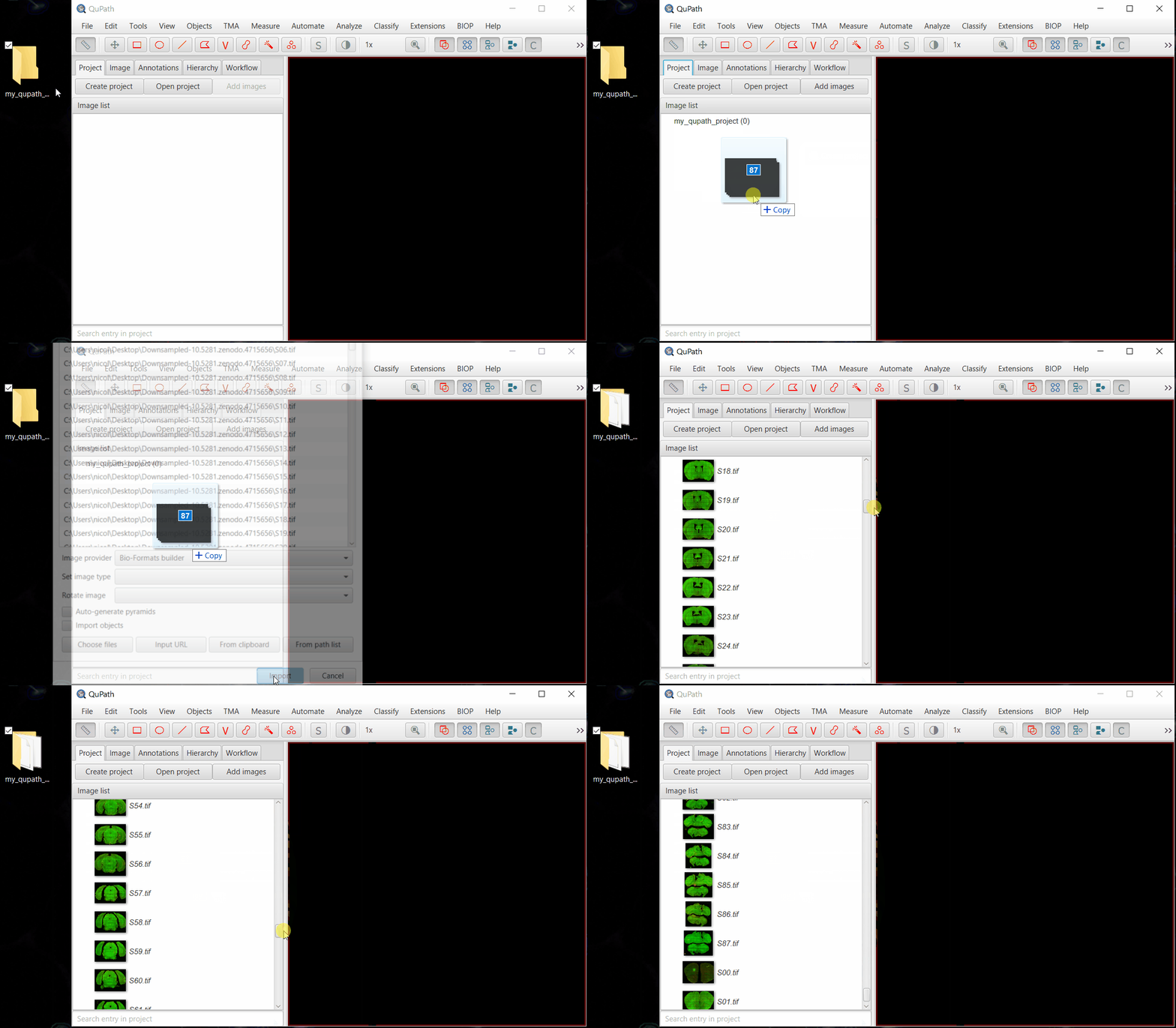
Create a new project by dragging and dropping an empty folder into QuPath’s graphical user interface.
Drag and drop your images into the QuPath project.
Select
Bio-Formats builderand click Import.
Note
You can also work with OMERO images, provided they were imported using the Ice API of the OMERO QuPath extension. After installing the extension, you can add images directly by browsing your OMERO server: Extensions > OMERO > Browse server... and importing images or entire datasets.
Warning
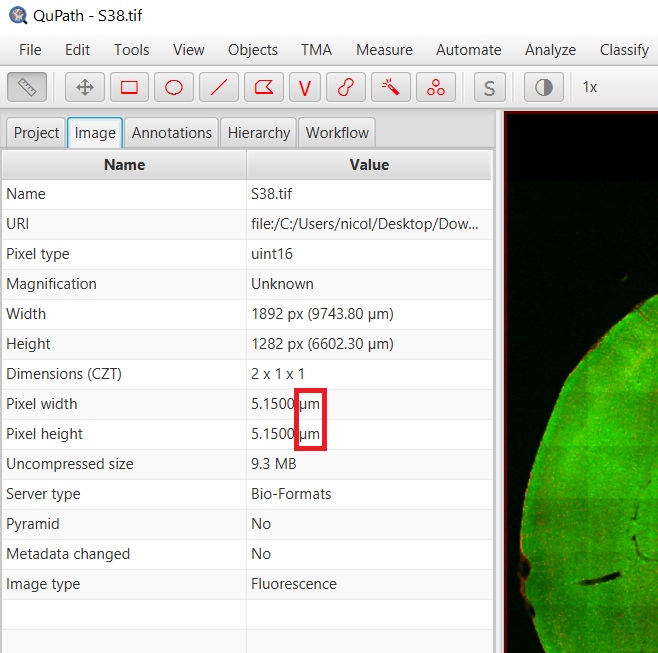
Ensure that all images are correctly calibrated (in units such as microns or millimeters, not pixels). In QuPath, verify this by checking the Image tab, where the physical unit should be specified. If the units are set to pixels, adjust the pixel size before importing the project into Fiji’s ABBA plugin, or the images will be scaled incorrectly.
At this point, your work in QuPath is complete. You can leave QuPath open as you proceed with the rest of the workflow.