Image analysis in QuPath
Give a try to BraiAn
BraiAn is a worflow that has been designed to easily process whole brain datasets aligned with ABBA.
You can get its documentation here: https://silvalab.codeberg.page/BraiAn/
Exporting ABBA registration results
When a registration is done in ABBA, and if the slices have been opened from a QuPath project, it is possible to re-export the registration results into the original QuPath project.
For that, simply select all your slices of interest and click, in the top menu bar Export > ABBA - Export Regions To QuPath project.
When executing this action, ABBA exports, for each slice:
regions of the allen brain atlas as a zip file (ImageJ rois file)
a json file which can be used to compute the transformation between pixels coordinates of the original file to the Atlas (and vice versa)
These two files are saved into each QuPath entry folder. Additionally, the Atlas Ontology is written next to the QuPath project file (do not erase it!).
Importing ABBA registration results: creating Atlas regions as QuPath annotations
In QuPath, provided you have correctly installed the required extensions, you can click Extensions > ABBA > Load Atlas Annotations into Open Image.

Display tips
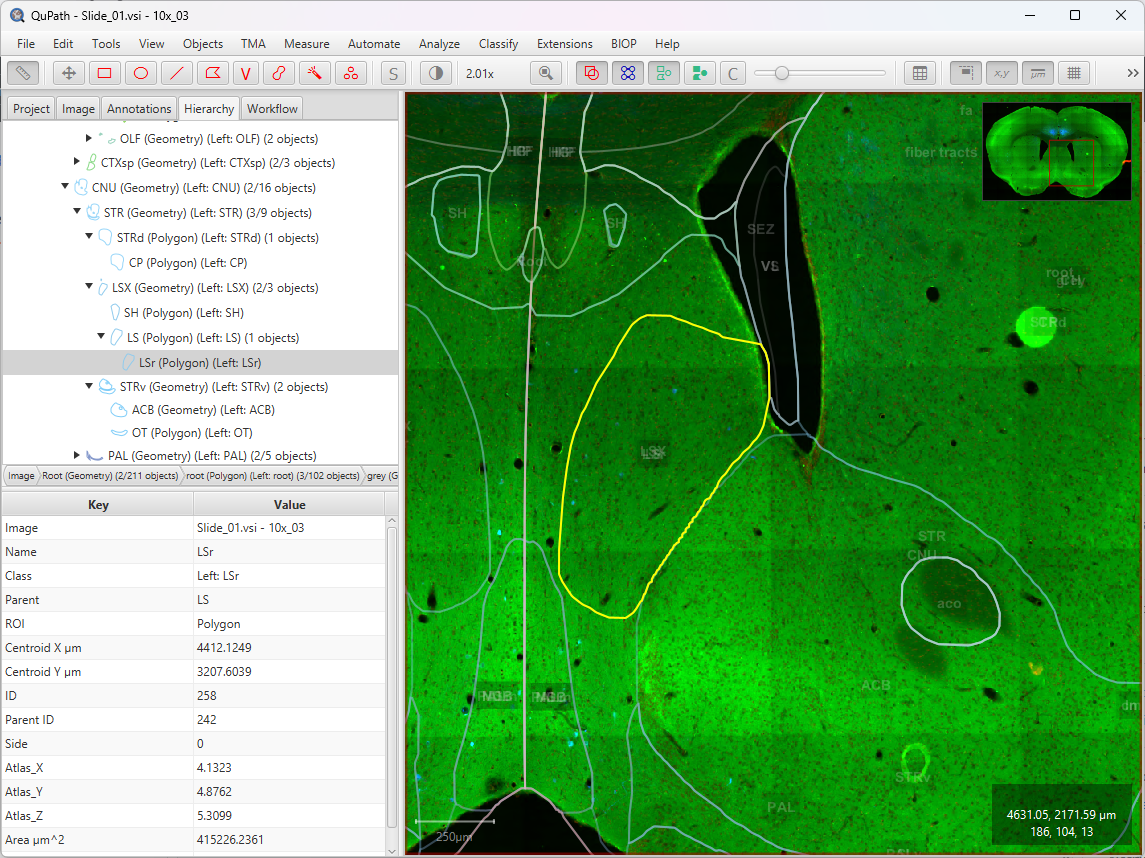
The region boundaries are displayed. If you do not split between the left and right hemi-brain, the annotation labels are all along the middle of the image and overlapping
If you split the regions between left and right hemi-brain, the display will be less cluttered. Moreover, you can press N to hide the name of the imported regions.
You can also use the transparency slider to change the opacity of the regions.
If you put a low transparency, double-click on a region and have the hierarchy tab activated, you will see in yellow the region selected, and the region selected will be synchronized on the hierarchy tab:
Automating the import for all slices
If you go to the workflow tab of QuPath, you will see that a workflow step is present. You can create a script out of it, such as:
setImageType('FLUORESCENCE');
clearAllObjects();
qupath.ext.biop.abba.AtlasTools.loadWarpedAtlasAnnotations(getCurrentImageData(), "acronym", false);
This script can be run in batch to import the regions for all slices present in the QuPath project.
Importing ABBA registration results: adding Atlas coordinates to QuPath detections measurements
A convenient way to pool analysis from several animals, is to combine the result of the analysis into a common coordinate space.
For that, we provide the following script which, for all detections of images in QuPath, appends the coordinate of each centroid detection as extra measurements:
/**
 * Computes the centroid coordinates of each detection within the atlas
 * then adds these coordinates onto the measurement list.
 * Measurements names: "Atlas_X", "Atlas_Y", "Atlas_Z"
 */

def pixelToAtlasTransform =
    AtlasTools
    .getAtlasToPixelTransform(getCurrentImageData())
    .inverse() // pixel to atlas = inverse of atlas to pixel

getDetectionObjects().forEach(detection -> {
    RealPoint atlasCoordinates = new RealPoint(3);
    MeasurementList ml = detection.getMeasurementList();
    atlasCoordinates.setPosition([detection.getROI().getCentroidX(),detection.getROI().getCentroidY(),0] as double[]);
    pixelToAtlasTransform.apply(atlasCoordinates, atlasCoordinates);
    ml.put("Atlas_X", atlasCoordinates.getDoublePosition(0) ) // QuPath 0.6 syntax; in v0.5 you need to replace 'put' with 'putMeasurement'
    ml.put("Atlas_Y", atlasCoordinates.getDoublePosition(1) )
    ml.put("Atlas_Z", atlasCoordinates.getDoublePosition(2) )
})

import net.imglib2.RealPoint
import qupath.lib.measurements.MeasurementList
import qupath.ext.biop.abba.AtlasTools

import static qupath.lib.gui.scripting.QPEx.* // For intellij editor autocompletion
This script can also be run in batch.
Hint
It is not necessary to have imported the regions for this script to run.
Allen Brain CCFv3 coordinates
For the particular case of the Adult Mouse Allen Brain Atlas CCFv3, coordinates are oriented like this: (source):

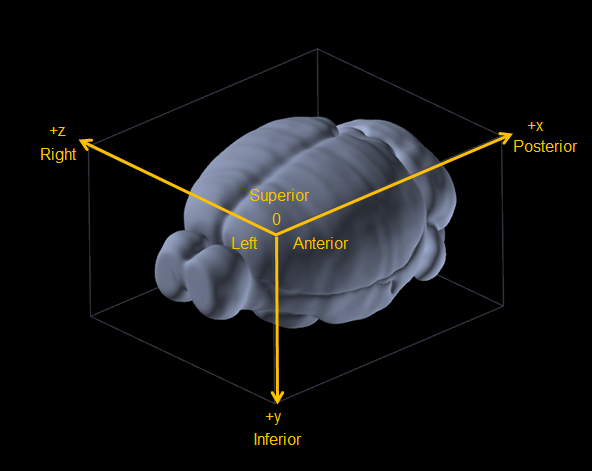
Mind the axes names and orientations!
Analysis in QuPath
A typical workflow will consist of detecting cells in a particular region of the brain and exporting these results for all slices.
You can find the full QuPath documentation at https://qupath.readthedocs.io, and get some support in https://forum.image.sc. But here are a few basic scripts to get you started:
Basic QuPath scripts
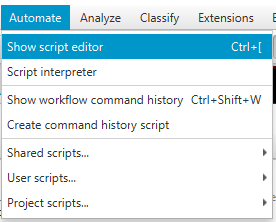
To write a bit of code, click in QuPath: Automate > Show script editor.
1. Clear all objects (cells, annotations)
// To clear all objects (take care, it also clear cells (detection objects)!)
clearAllObjects()
2. Clear annotations only (Atlas regions)
// To clear all annotations objects:
removeObjects(getAnnotationObjects(), false) // last argument = keep child objects ?
3. Import atlas regions (take care to not import it several times: clear the objects before)
// Load atlas and name all regions according with their acronym
// Last argument = split left and right regions
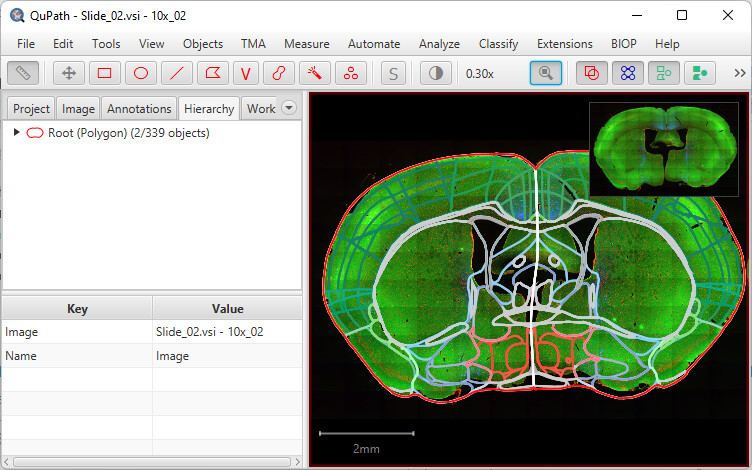
qupath.ext.biop.abba.AtlasTools.loadWarpedAtlasAnnotations(getCurrentImageData(), "acronym",true);
Here’s the result:
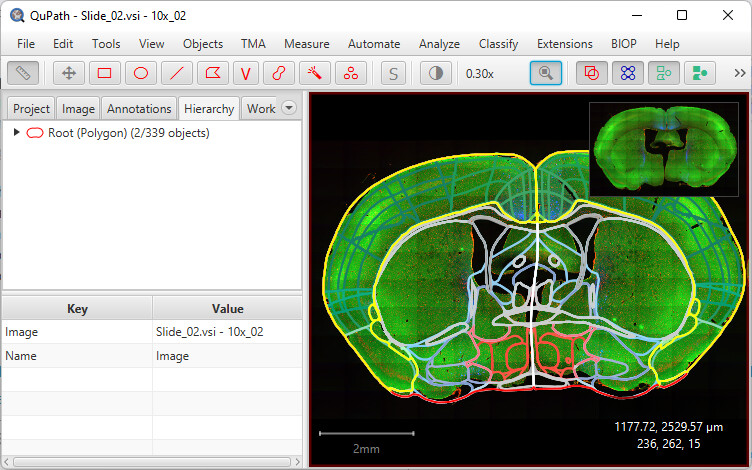
4. Collect and select a subregion (example with the acronym ‘CTXpl’)
// Gets all annotations (=regions) named CTXpl (left and right)
def myObjects = getAllObjects().findAll{it.getName() == 'CTXpl'} // replace 'CTXpl' by any region acronym existing in the atlas

// Then select them
selectObjects(myObjects)
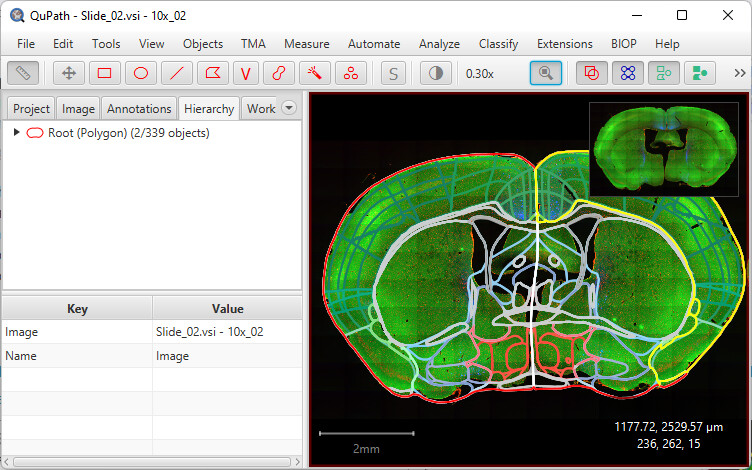
5. same as 4., but restricted to the left part of the brain
// Gets all annotations named CTXpl in the left region:
def myLeftObjects = getAnnotationObjects()
.findAll{it.getName() == 'CTXpl'} // replace 'CTXpl' by any region acronym existing in the atlas
.findAll{it.getPathClass().isDerivedFrom(getPathClass('Left'))} // select only the ones in the left regions
// Then select them
selectObjects(myLeftObjects)
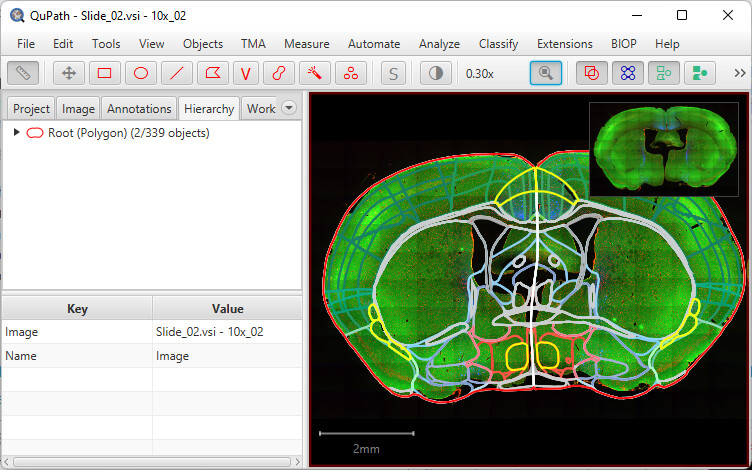
6. to collect and select subregions from a list
// Gets all annotations which name is contained within a list:
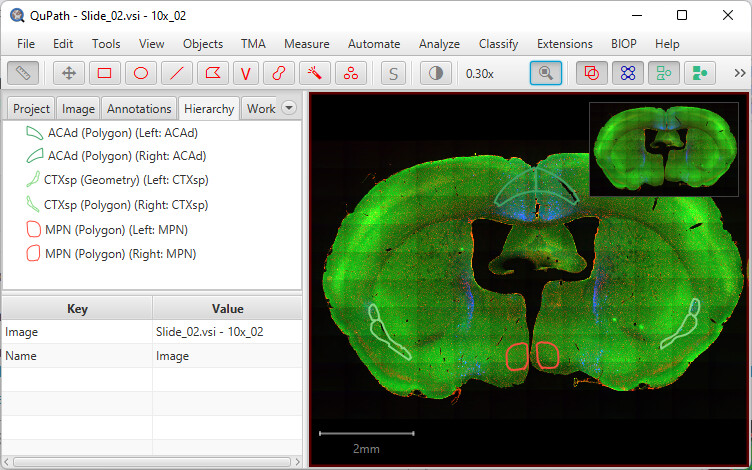
listOfRegionsToSelect=['MPN', 'CTXsp', 'ACAd']


def myObjectsWithinAList = getAnnotationObjects()
.findAll{it.getName() in listOfRegionsToSelect}
//.findAll{it.getPathClass().isDerivedFrom(getPathClass('Left'))} // Uncomment this line to get only the objects in the left region

// Then select them
selectObjects(myObjectsWithinAList)
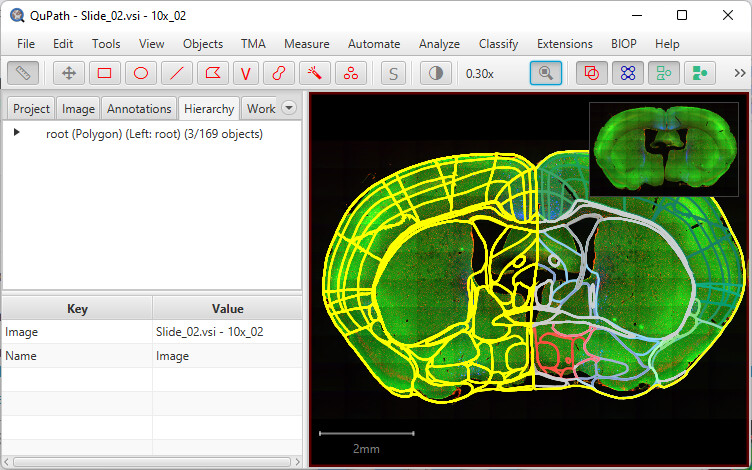
7. to collect all regions except the ones on a list
def myObjectsWithinAList = getAnnotationObjects()
.findAll{!(it.getPathClass() == null)} // removes null objects
.findAll{it.getPathClass().isDerivedFrom(getPathClass('Left'))}

// Gets all annotations except the ones of a list
def objectsOtherThan = getAnnotationObjects() - myObjectsWithinAList
selectObjects(objectsOtherThan)
8. Removing objects
In the example below, we first selected the objects of interest, then use that to collect the other objects, that we remove with removeObjects
// Gets all annotations which name is contained within a list:
listOfRegionsToSelect=['MPN', 'CTXsp', 'ACAd']


def myObjectsWithinAList = getAnnotationObjects()
.findAll{it.getName() in listOfRegionsToSelect}

// Gets all annotations except the ones of a list
def objectsOtherThan = getAnnotationObjects() - myObjectsWithinAList


removeObjects(objectsOtherThan, true)
Display results in 3D
Some analysis scripts are also available in https://github.com/nickdelgrosso/ABBA-QuPath-RegistrationAnalysis
To be done… combining PaQuo and BrainRender looks like the best option for this task.